Video content is no longer a luxury; it is a necessity. Whether you are in marketing, sales, or education, the demand for high-quality video is insatiable. But let’s face it: traditional video production is slow, expensive, and logistically efficient.
Enter
HeyGen, an AI-powered video generation platform that claims to replace the need for cameras, actors, and studios. But does it live up to the hype? Can an AI avatar really replace a human connection?
In this review, I will break down HeyGen’s features, pricing, and capabilities to help you decide if it’s the right tool for your business.
Table of Contents
- What is HeyGen?
- Key Features Breakdown
- The User Experience: Visualizing the Dashboard
- Who is HeyGen For?
- Pricing & Plans
- Pros & Cons
- FAQ
- Final Verdict
What is HeyGen?
HeyGen is an all-in-one AI video generation platform designed to democratize video production. It allows users to convert text, audio, or images into professional-grade videos in minutes.
Unlike basic text-to-speech tools, HeyGen focuses on
visual realism. It utilizes advanced AI to create talking avatars with accurate lip-syncing and natural facial expressions. The platform is SOC 2 Type 2 compliant, ensuring that while the technology is cutting-edge, it adheres to strict security and ethical standards regarding content moderation.
Essentially, HeyGen acts as your digital production studio, operating 24/7 without the overhead costs.
Key Features Breakdown
HeyGen is packed with features, but a few stand out as game-changers for content creators.
1. AI Avatars & Avatar IV
This is the core of the platform. You get access to over
100 diverse stock avatars representing various ethnicities, ages, and styles. However, the real power lies in the
Custom Avatar feature. You can upload footage of yourself, and HeyGen will create a digital twin.
- Avatar IV: This advanced feature enhances realism, making the avatar's micro-expressions and movements nearly indistinguishable from real life.
2. Video Translation & Localization
This feature is arguably HeyGen's "killer app." You can upload a video in one language, and the AI will translate it into over
170 languages and dialects.
- The Magic: It doesn’t just dub the audio; it re-syncs the speaker's lips to match the new language. This allows you to globalize your content instantly.
3. Text-to-Video Generation
Simply type your script, choose your avatar and voice, and hit generate. The platform supports
175+ languages with natural speech timing. You can customize the pitch, speed, and emotion of the voice to fit your brand's tone.
4. Image-to-Video
Have a static photo? HeyGen can animate it. By uploading a portrait and a script, you can turn a still image into a talking video presenter. This is excellent for bringing historical figures to life for education or animating static marketing assets.
5. Integrations & API
For power users,
HeyGen integrates seamlessly with tools you already use.
- Zapier: Automate workflows.
- Canva: Edit HeyGen avatars directly inside your Canva designs.
- ChatGPT: Generate scripts and push them straight to video production.
The User Experience
If you have never used an AI video generator, you might expect a steep learning curve. HeyGen eliminates this.
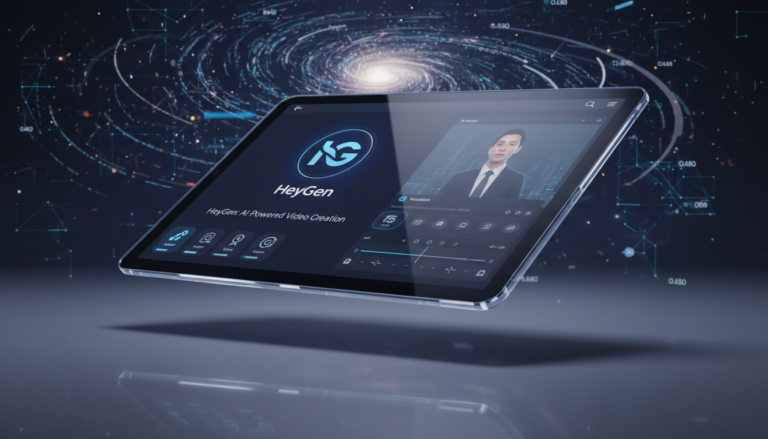
Imagine this: You log into a clean, modern dashboard. On the left, a library of "Instant Avatars" awaits—professionals in suits, casual creators in hoodies, and medical experts in scrubs. You select a template that looks like a high-end PowerPoint presentation, but dynamic.
You type a script into the text box. As you type, you select a voice—let's say, "Jackson, American English, Deep Tone." You click play to preview the voice. It sounds human, with breath pauses and inflection. You drag and drop a custom background, perhaps your office lobby. With one click on "Submit," the cloud rendering begins. Five minutes later, you have a 1080p video ready to download.
The interface is intuitive, dragging and dropping elements like a simple photo editor, but the output is a complex video file.
Who is HeyGen For?
- Marketing Teams: For scaling content creation without booking studio time.
- Sales Professionals: To send personalized video messages to leads at scale (using CRM integrations).
- L&D (Learning & Development): For creating training videos that are easy to update. Instead of re-filming a segment when a policy changes, you simply edit the text script.
- Content Creators: To expand their reach by translating YouTube videos into Spanish, French, or Mandarin effortlessly.
Pricing & Plans
HeyGen offers a tiered pricing structure to fit different needs. Note that high-end features like Avatar IV or fine-tuning usually consume more "credits."
| Plan |
Price (Approx.) |
Best For |
Key Inclusions |
| Free |
$0/mo |
Testing |
1 credit, limited avatars, 720p export. |
| Creator |
~$29/mo |
Individuals |
15 credits/mo, fast processing, no watermark, 1080p. |
| Team |
~$39/seat/mo |
Small Biz |
30 credits/mo, 4K export, collaboration tools. |
| Enterprise |
Custom |
Corps |
Unlimited usage, API access, SSO, dedicated support. |
Note: Prices are subject to change. Annual billing often provides a discount (e.g., Creator plan drops to ~$24/mo).
Pros & Cons
✅ Pros
- Unmatched Realism: The lip-syncing and facial movements are currently market-leading.
- Global Reach: Video translation with lip-sync correction is a game-changer for localization.
- Speed: Go from script to video in minutes.
- No Equipment: Removes the need for cameras, lighting, and microphones.
- Template Library: Massive selection of templates for various industries.
❌ Cons
- Credit System: Heavy users may burn through credits quickly on lower tiers.
- Custom Avatar Cost: Creating a high-fidelity custom avatar of yourself is an add-on or requires higher tiers.
- Perfection: While amazing, AI can still occasionally have minor glitches with hand gestures.
FAQ
Q: Can I use HeyGen for free?
A: Yes, HeyGen offers a Free Plan that allows you to test the features with 1 credit. It includes a watermark and is limited to 720p resolution.
Q: Is the video translation accurate?
A: The translation is highly accurate, but the standout feature is the visual dubbing. It adjusts the mouth movements of the original speaker to match the new language, making it look native.
Q: Can I clone my own voice?
A: Yes, HeyGen allows for voice cloning. You can record a sample, and the AI will generate a TTS (Text-to-Speech) model that sounds just like you.
Q: Is my data safe?
A: HeyGen is SOC 2 Type 2 compliant, meaning they adhere to high standards of enterprise security and data privacy.
Final Verdict
HeyGen is not just another novelty AI tool; it is a robust enterprise solution for video production. If you are looking to scale your video output, localize content for international markets, or simply create professional videos without the hassle of a film crew, HeyGen is currently the platform to beat.
The quality of the avatars and the seamlessness of the translation features justify the price tag for any serious business or creator.
Ready to start creating?