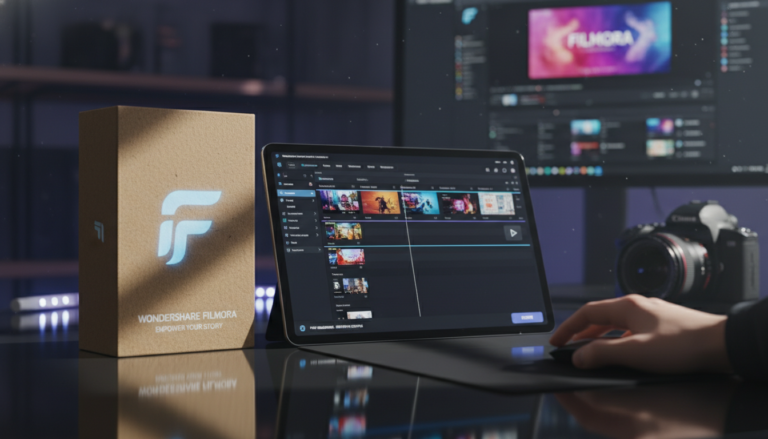
Is it possible to produce professional-grade content without a steep learning curve? We test out the latest version of Wondershare Filmora to find out.
 (A visual representation of a modern video editing suite displaying a timeline, preview window, and effects library.)
Video editing has traditionally been divided into two camps: oversimplified mobile apps that lack power, and complex professional software that requires a degree to understand.
For years,
Wondershare Filmora has positioned itself as the bridge between these two worlds. But with its latest updates, Filmora isn't just "easy to use"—it is becoming an AI powerhouse.
Whether you are a YouTuber, a small business owner, or a hobbyist filmmaker, the demand for high-quality video is higher than ever. In this review, we analyze whether Filmora’s new suite of AI tools and advanced features makes it the ultimate choice for creators in 2024.
Short on time? Click here to try Wondershare Filmora for free.
Table of Contents
- What is Wondershare Filmora?
- The AI Revolution: Features That Save Time
- Beyond AI: Advanced Editing Tools
- User Experience & Performance
- Pricing & Plans
- Pros & Cons
- FAQ
- Final Verdict
What is Wondershare Filmora?
Wondershare Filmora is a cross-platform video editing software available for
Windows, macOS, iOS, and Android.
Unlike industry giants that rely on clunky, layer-based workflows, Filmora utilizes a magnetic timeline and drag-and-drop functionality. However, don't let the interface fool you. Under the hood, it supports
4K and 8K editing, multi-cam setups, and extensive color grading.
The software is designed to take raw footage and transform it into polished content quickly, aided by a massive library of 100+ filters, royalty-free music, and transitions.
The AI Revolution: Features That Save Time
The standout selling point of the current version of Filmora is its integration of Artificial Intelligence. These aren't just gimmicks; they are workflow accelerators.
If you download
Wondershare Filmora via this link, here are the AI tools you get access to:
1. AI Copilot Editing
This is a game-changer for beginners. Instead of hunting through menus to find the "brightness" or "remove background" tool, you can simply ask the AI assistant. It guides you through the editing process, acting as a personal tutor.
2. Generative AI (Text & Image to Video)
Struggling with writer's block? Filmora features
AI Text-to-Video and
AI Image-to-Video. You can input a prompt, and the software will generate usable video assets. This is incredibly useful for B-roll or abstract storytelling.
3. Smart Audio Tools
Audio often ruins a good video. Filmora solves this with a suite of audio AI:
- AI Voice Cloning: Create voiceovers without recording.
- AI Vocal Remover: Separate music from vocals instantly.
- AI Audio Denoise: Remove wind, hiss, and hum from bad recordings.
- Auto Ducking: Automatically lowers background music when someone is speaking.
4. Smart Cutout & Scene Detection
The
Smart Scene Cut automatically detects changes in scenery and chops the footage for you, saving hours of manual cutting. Additionally, the
AI Auto Masking allows you to isolate subjects without a green screen.
Beyond AI: Advanced Editing Tools
While the AI features grab the headlines, the core editing engine is robust enough for enthusiast workflows.
- Motion Tracking: You can easily attach text or effects to a moving object within your video. This is essential for censoring faces or adding dynamic titles.
- Keyframing: For precise control, Filmora offers keyframing for animation, allowing you to adjust position, rotation, and scale over time.
- Speed Ramping: Create professional slow-motion or fast-forward effects with customizable curves.
- Color Correction: The software includes advanced color wheels, curves, and 3D LUTs. The Color Comparison View helps you match shots from different cameras seamlessly.
User Experience & Performance
Filmora shines in its
User Interface (UI). It is clean, dark-themed, and intuitive. The "Magnetic Timeline" ensures that when you delete a clip, the rest of the video snaps together, preventing accidental black gaps in your movie.
In terms of performance, rendering is fast. The software utilizes hardware acceleration to handle high-resolution exports. Furthermore, the inclusion of
10GB of cloud storage allows for easy transfer of project assets between devices—perfect for starting an edit on your iPad and finishing it on your desktop.
Pricing & Plans
Wondershare offers a few flexible payment structures, generally ranging between
$49.99 and $79.99.
- Annual Subscription: Best for those who want the latest updates immediately.
- Perpetual License: A one-time fee for the specific version of the software (a rarity in the current SaaS market).
- Cross-Platform Plan: unlocks the software on PC, Mac, Android, and iOS.
Considering the stock media library and AI tools included, the value proposition is significantly higher than expensive competitors like Adobe Premiere Pro.
Pros & Cons
| Pros |
Cons |
| AI-Powered: Massive suite of AI tools (Voice cloning, Text-to-Video). |
Watermark: The free version exports with a large watermark. |
| Ease of Use: Intuitive drag-and-drop interface perfect for beginners. |
AI Credits: Some generative AI features consume "credits" which may need topping up. |
| Performance: Fast rendering and supports 4K/8K editing. |
OS Specific: Perpetual licenses are usually specific to Mac OR Windows (not both). |
| Assets: Built-in library of stock footage, music, and effects. |
|
| Price: Significantly more affordable than professional alternatives. |
|
FAQ
Q: Is Wondershare Filmora free?
A: Filmora offers a free trial that allows you to use all features, but the exported video will have a watermark. To remove it, you must purchase a license.
Q: Can I use Filmora for professional YouTube videos?
A: Absolutely. With 4K support, motion tracking, and advanced audio ducking, it is widely used by YouTubers and content creators.
Q: Does Filmora work on Mac and PC?
A: Yes, it is compatible with Windows and macOS. There are also mobile versions for iOS and Android.
Q: Is it difficult to learn?
A: No. Filmora is specifically designed to have a low learning curve. Most users can edit their first video within minutes of installation.
Final Verdict
Wondershare Filmora has successfully evolved from a "basic" video editor into a comprehensive creative suite. By integrating cutting-edge
AI automation with standard professional features like
Keyframing and Motion Tracking, it offers the best balance of power and simplicity on the market today.
If you are a creator looking to speed up your workflow without sacrificing quality, Filmora is a must-have tool in your arsenal.
Ready to start creating?